
Waiting on an immigration application can feel like standing in a long hallway with the lights off. Over the past few months we have been quietly switching lights on. Some of what we built is big, like trackers for citizenship, spousal sponsorship, work permits, study permits and visitor visas. Some of it is small, like a sticker you can share the day your AOR arrives. All of it was shaped by questions people in our community asked us. This piece walks you through it, one part of the journey at a time, with a link at the end of each section so you can try it yourself.
Find your way, whatever you are applying for
The first question is often the hardest: which path is even open to me? We rebuilt the site around that question, so the right page is a few taps away.
- A pathway finder with 45 Canadian immigration and temporary residence pathways, each marked open, open with limits, between seasons, paused or closed, with a dated note checked against canada.ca.
- A simpler menu (Guides, Track, Data, Citizenship, Latest) and a search that answers as you type, in your language and in English.
- More than 65 guides in seven languages, now with "At a glance" timelines, labelled drawings of documents such as the PR card and COPR, and tags that tell you whether a work permit is in the TFWP or the IMP.
- Five guides for the electronic application for PR after an Express Entry invitation, with an interactive checklist that counts down your 60 days.
- A language test tool: pick your test and target CLB level and see the lowest score IRCC accepts in each skill.
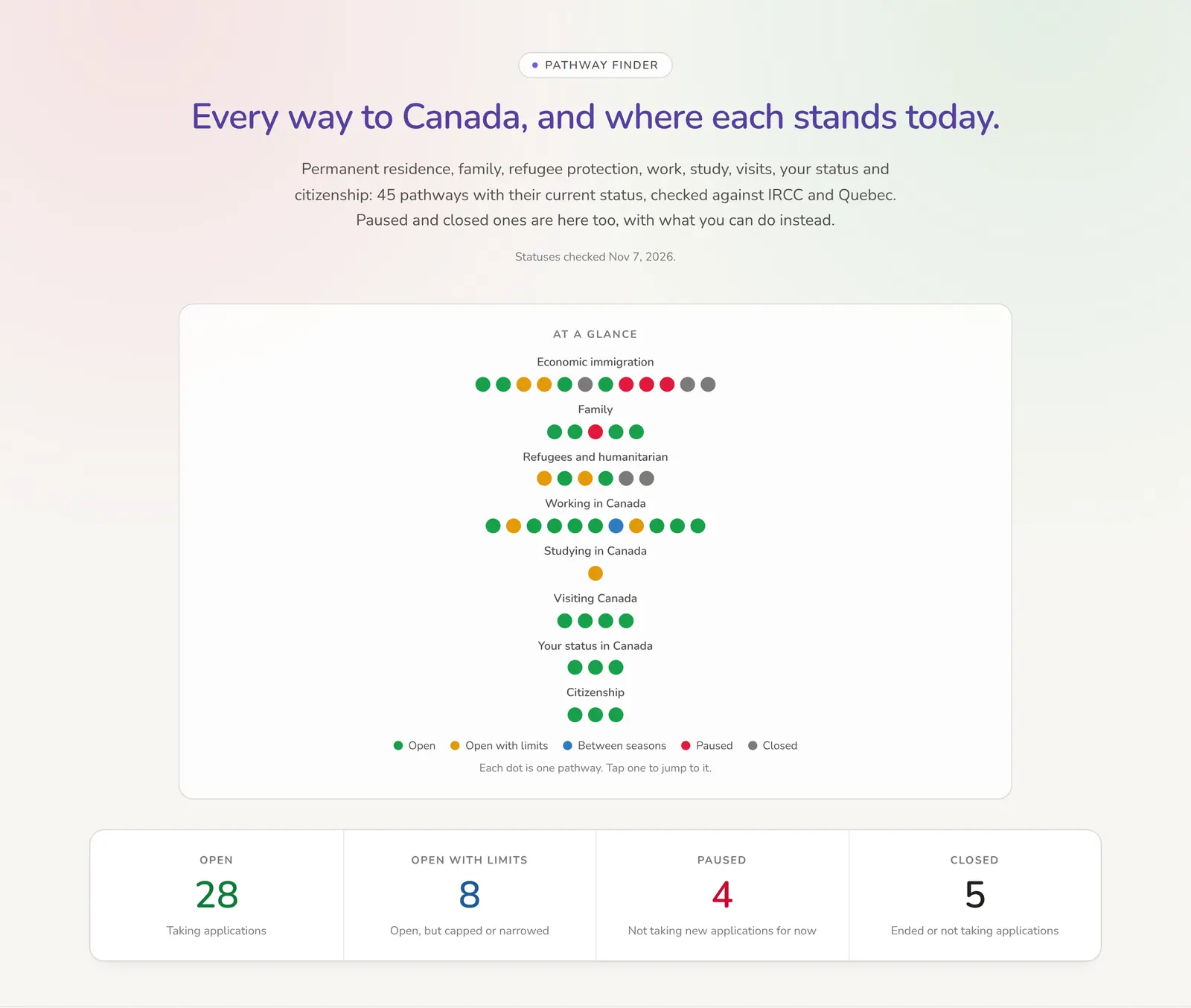
Not sure where you fit? Open the pathway finder and filter by what you want to do.
Track every application in one place
My Applications used to be mostly about permanent residence. Now it follows the whole family of applications people juggle, and it opens on what matters today.
- Track a PGWP, an employer-specific work permit, IEC, family sponsorship or a PR card, alongside PR, study permits, visitor visas, open work permits and citizenship.
- A "What matters now" panel: where you are and for how long, how your group is moving, what changed for you this month, and the one guide to read next.
- Guides suggested for your exact stage, from waiting after your AOR to holding your PR card, each saying why it fits.
- For PR applications from inside Canada, an optional last step after eCOPR, so you can keep your timeline going until your PR card arrives.
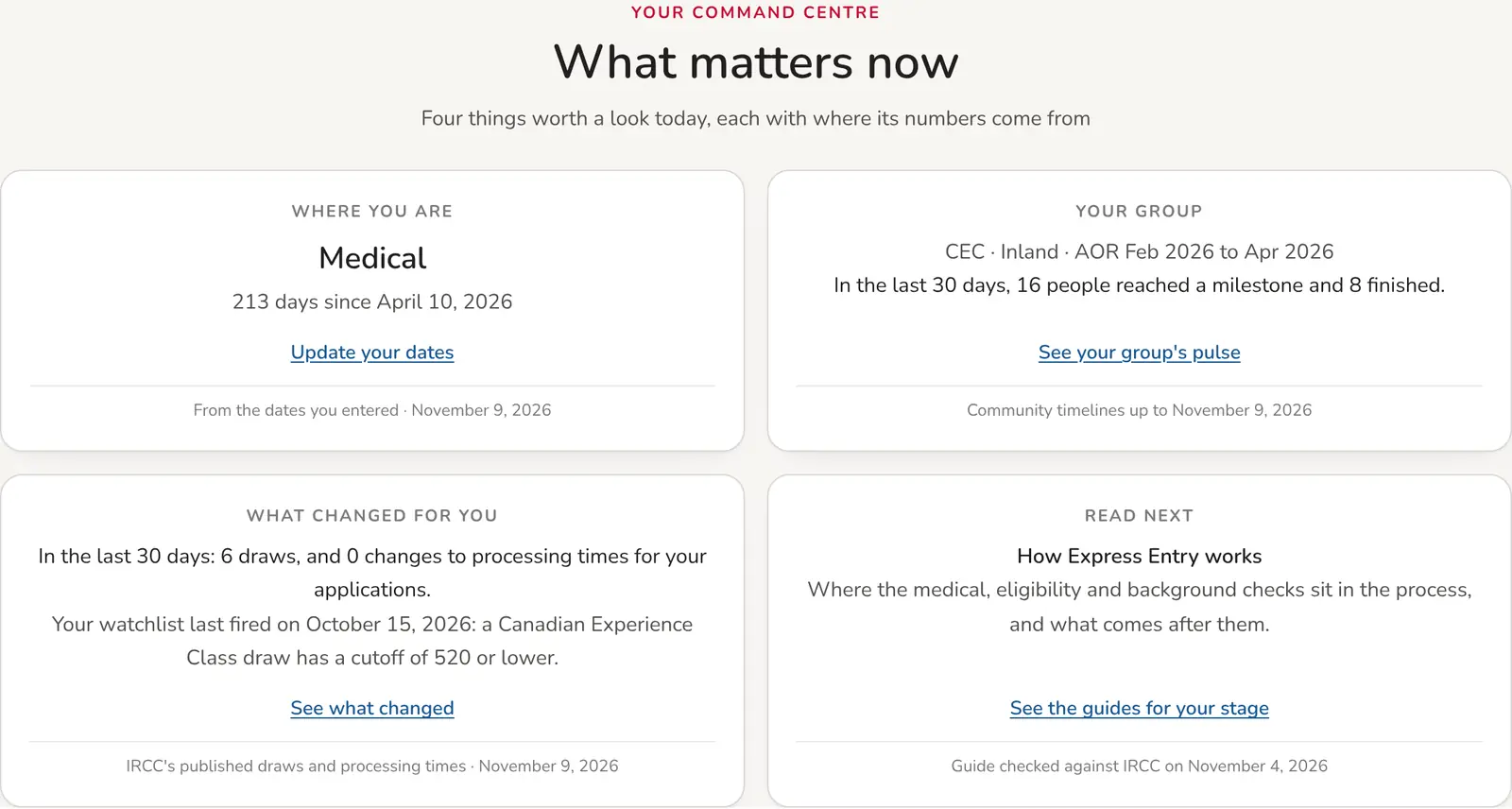
Ready to add yours? Open My Applications and pick the type you are tracking.
Understand your wait, calmly
A number of days on its own can be frightening. We added context, so you can tell the difference between a normal wait and one worth acting on.
- Cohort pulse shows how people with the same stream, route and AOR month moved in the last 7, 30 or 90 days: who got biometrics, a decision, their eCOPR.
- Insights now shows the time at each stage of the journey, inside and outside Canada, so you can see where the long stretches really are.
- If your application passes IRCC’s published processing time, your application page offers four calm steps, each linked to the official page: check your status, the IRCC webform, requesting your file, and your MP’s office.
- Compare my wait still puts your dates beside people who applied around the same time, now with a check that the comparison is fair.
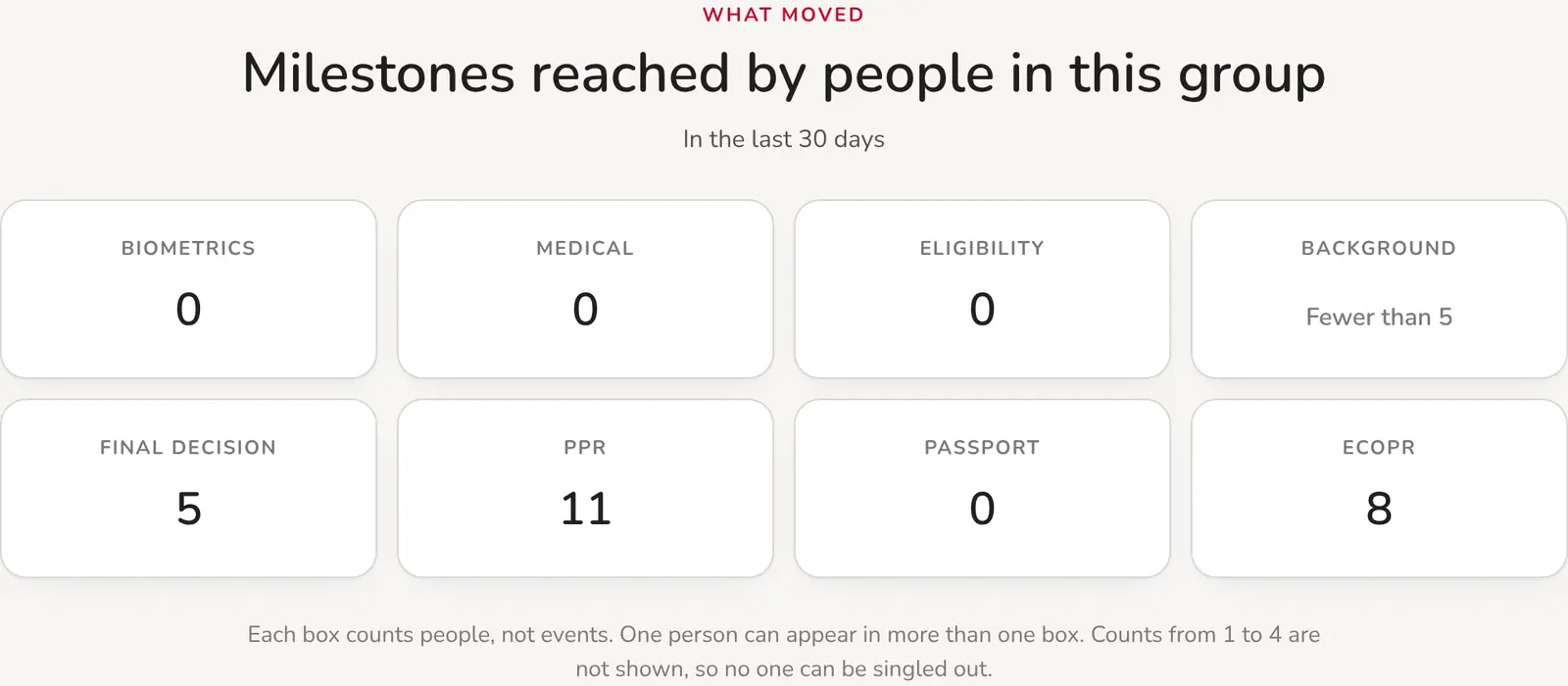
Curious how your group is doing? Open Cohort pulse and choose your stream and AOR month.
Hear about the changes that touch your file
IRCC updates processing times and holds draws all the time. We now tell you which changes matter for you, and we check them before we say anything.
- Change Radar publishes only changes a person has checked against the official source, with a short note on what the change does and does not mean.
- What changed lists new draws and processing time changes since your last visit, and you can save up to three watchlists: a draw at or under your score, a change to one processing time, or movement in your own group.
- A draw scenario lab: enter a CRS score and a category to see how many candidates are ahead of you in IRCC’s latest pool numbers, and how many draws of different sizes it would take to reach you. It is arithmetic you can adjust, never a prediction.
- Ready-made cohort pages for common journeys, such as CEC applicants from inside Canada by AOR quarter, so you can follow a group without setting anything up.
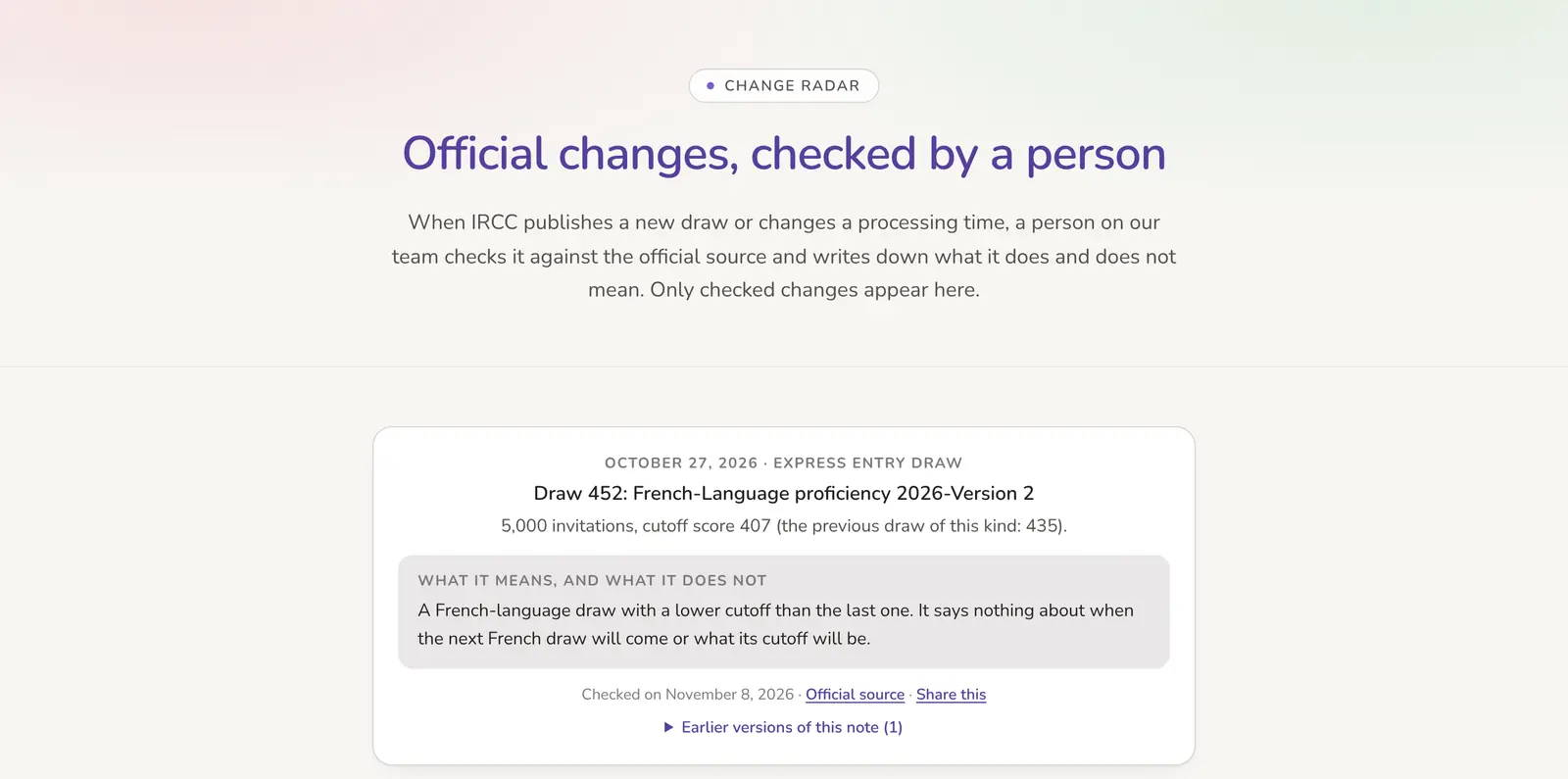
Want only the changes that were checked? Open Change Radar to see each one with its source.
Celebrate each step, and plan the next one
Every milestone is a small victory, and the road does not end at your eCOPR. We made room for both.
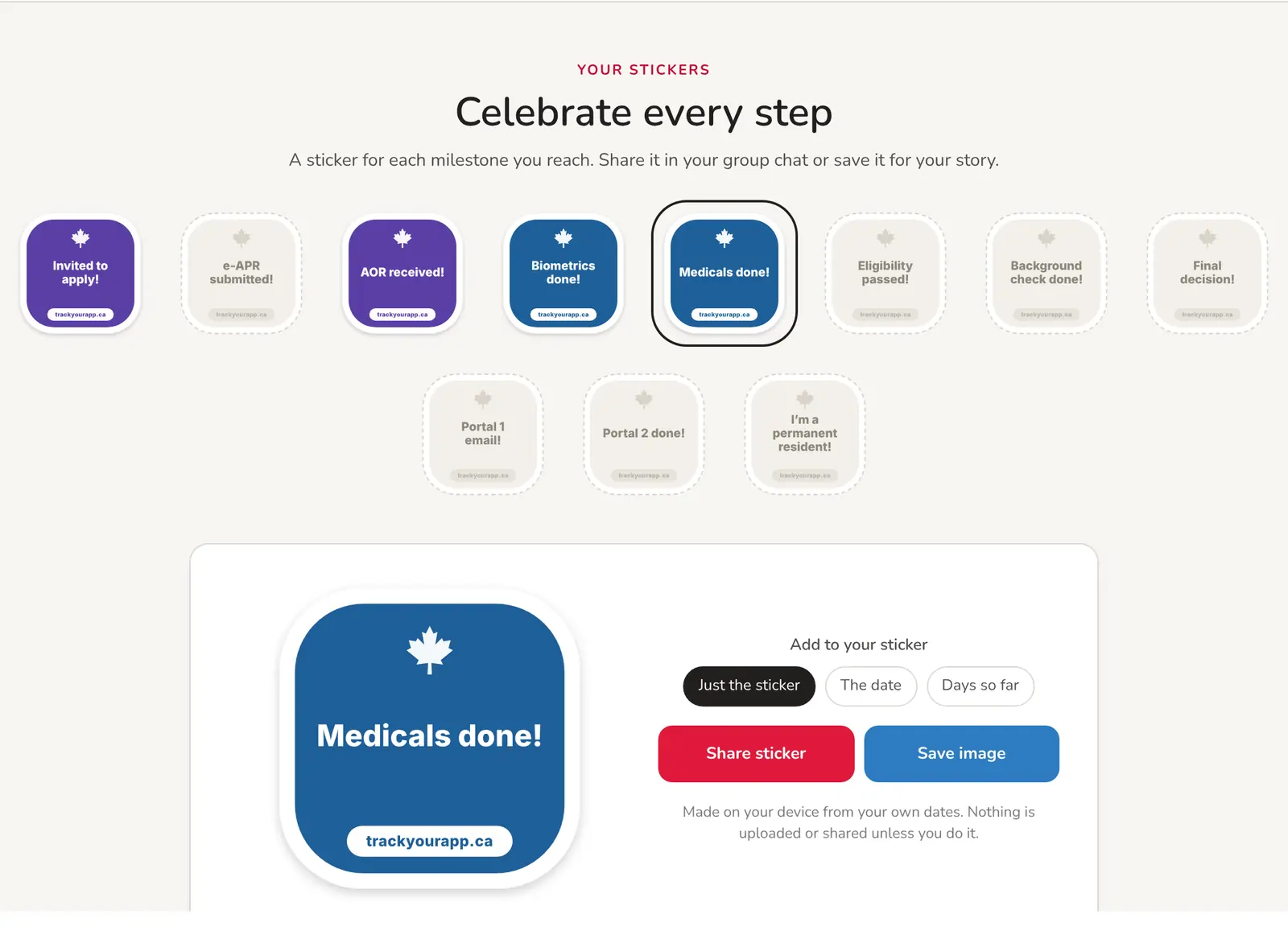
- Achievement stickers on each application page, one per milestone, with your date or the number of days it took, ready to share in your group chat or save as an image.
- A printable summary of any application: every step, its date and the days in between, on one branded page.
- A citizenship countdown once your eCOPR is dated: the earliest day you could meet the physical presence rule if you stay in Canada, and "Citizenship in N days" right on My Applications.
- One tap from that countdown starts a citizenship tracker with your PR date already filled in.
- A citizenship practice test and study notes, for when the big day gets closer.
Thinking ahead? Visit the citizenship hub for the countdown, the practice test and the guides.
Help the next person, if you choose to
This site began with a community spreadsheet, and it still runs on generosity. Sharing is now possible for every kind of application, always anonymous and always your choice.
- New community trackers for citizenship, spousal sponsorship and SOWP, work permits, study permits and visitor visas, each showing IRCC’s official figure first.
- A community median for a step appears only once at least 30 people have shared both of its dates, so no single person can ever be picked out.
- Anonymous sharing works on every application type now, off until you turn it on, and you can turn it off again at any time.
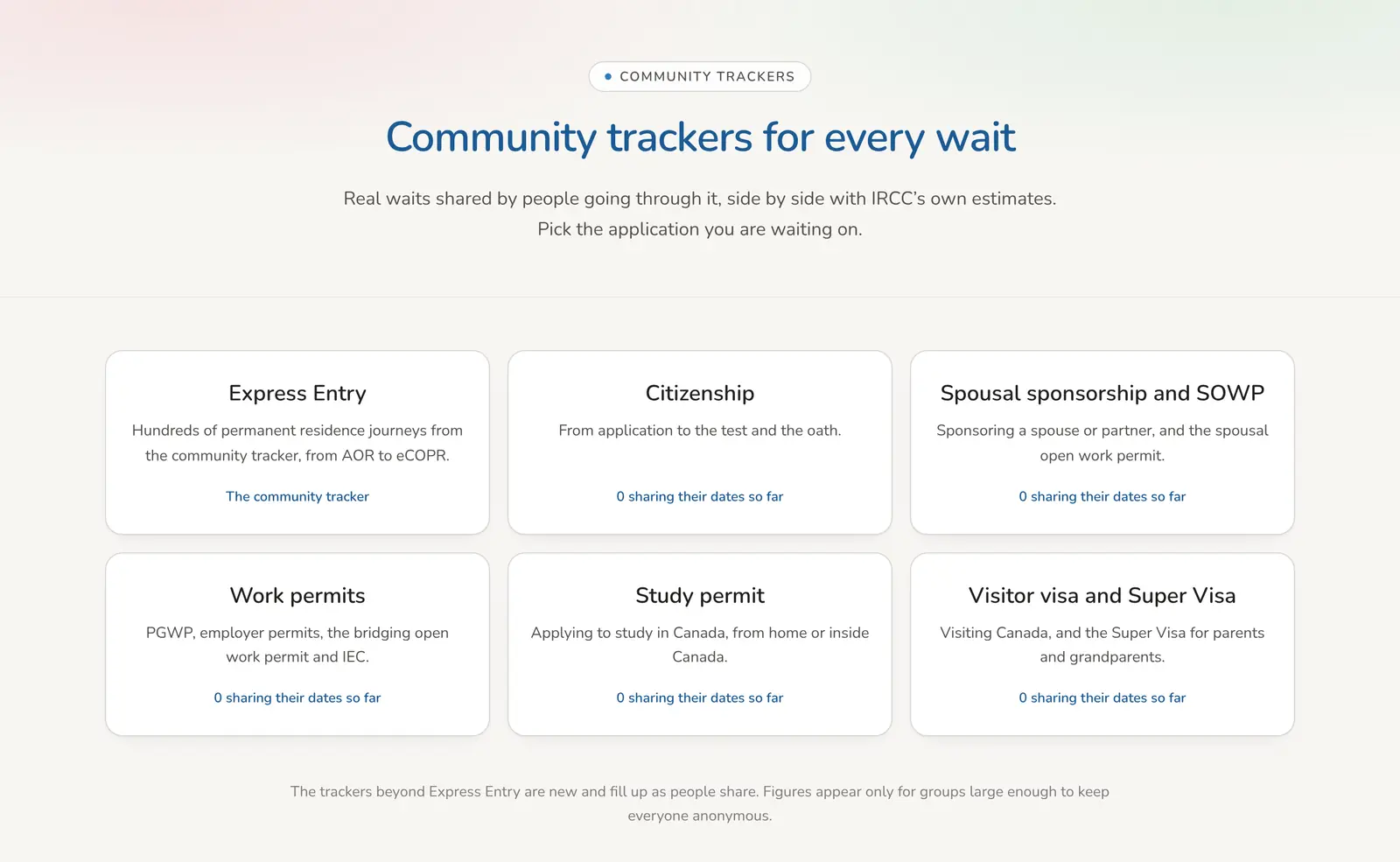
See what people are sharing: open the community trackers, and add your own dates if you would like to help.
Your privacy, unchanged
None of this asked us to know more about you. The promises we made when we started still hold, and the new features were built to keep them.
- We never store your email. Your account is a nickname and the dates you choose to enter.
- Sharing is off by default, anonymous when it is on, and you can switch it off with one tap.
- Stickers are drawn on your own device, and your printable summary is visible only to you.
Frequently asked questions
Do I need an account to use these features?
No. The guides, pathway finder, trackers, insights, Cohort pulse, Change Radar and scenario lab are open to everyone. An account adds My Applications, watchlists, stickers, the printable summary and the citizenship countdown.
Does any of this cost money?
No. trackyourapp.ca is free to use, and every feature in this piece is free.
Is trackyourapp.ca part of IRCC?
No. We are an independent community project and are not affiliated with IRCC or the Government of Canada. We link to the official source for every rule and figure, and IRCC’s own pages always have the final word.
I have an idea, or I spotted something wrong. Where do I tell you?
Please use the Contact page at the bottom of every page. Many of the features above began as a message from someone in the community.
The best way to see what is new is to try it with your own dates. Open My Applications, add your application, and let the site do the counting while you get on with your life. We are cheering for you.
You don’t have to face the wait alone.
Thousands of people have shared their real timelines so the next person isn’t left guessing in the dark. Add yours, keep your own application and your family’s together in one place, and see a grounded estimate of how long your decision might take, drawn from people who are walking the same path.
- Share your timeline and help the next applicant find their footing.
- Track your own and your family’s applications together, in one calm place.
- See a realistic estimate of your wait, based on people on the same journey.
It’s free, and what you track stays private to you. Sharing your timeline with the community is always your choice.
Key takeaways
- You can now track citizenship, sponsorship, work permits, IEC, study permits, visitor visas and the PR card, not just Express Entry.
- Cohort pulse, Change Radar and watchlists show how people like you are moving and which checked changes touch your file.
- Stickers, a printable summary and a citizenship countdown celebrate each step, and none of it needs your email.
- IRCC: Check processing times (the figures our estimates and trackers compare against) (opens in a new tab)
- IRCC: Express Entry rounds of invitations (the draws behind our draw pages and scenario lab) (opens in a new tab)
- IRCC: Citizenship physical presence calculator (the official check our countdown points to) (opens in a new tab)
- IRCC: Check your application status (opens in a new tab)
Last reviewed: Nov 9, 2026